Object eraser web tool for images
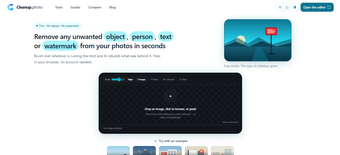
Cleanup is a free photography web application developed by cleanup.photo and is an image editing tool specifically made to help users remove objects and other unwanted elements from their photos. It does not require any registation or sign-in to use, and boasts a simple and intuitive user-friendly interface for beginners.

Unlock your creativity with Adobe Stock
Get 10 images or 1 video with a free trial
Clean up your photos
To start, drag and drop your image into the Cleanup web interface, and you’ll be provided with a brush tool to select the elements you want removed. You can zoom in and adjust the brush tip for more granular selection. Select objects, people, text, and even watermarks for removal. After that, wait for it to finish processing, which usually takes just a few seconds.
There’s also a handy compare feature using a slider that lets you see the before-and-after changes in real time. If you’re not satisfied, click on the undo button to try again. Now, as is the case with these types of eraser solutions, its effectiveness will depend on different factors, such as base image quality, the complexity of the task, and other considerations.
Simple and no-fuss solution
To wrap up, Cleanup is a solid object eraser tool you can consider if you’re looking for a way to edit your photos to remove unwanted background elements easily. It works with all kinds of tool selections across various scenarios, and processing is pretty fast too. Give it a try and see for yourself.